Deliveries
The Deliveries view shows every outbound integration message produced by this wallet. Use it to verify that real events are reaching your receiver, to triage failures, and to replay or dismiss problematic deliveries.
What is the Deliveries view?
The Deliveries view is a log of every outbound integration message a wallet has sent, showing the event type, destination channel, delivery state, and any errors. Use it to confirm real events are reaching your receiver, triage failures, and replay or dismiss deliveries that need attention.
How to access
- Open the left sidebar.
- Click Settings.
- Under Generic, click Integrations.
- Click the Deliveries tab.
Deliveries overview
The Deliveries tab lists deliveries across all channels in the wallet. Each row shows:
- Created at - When the event was produced.
- Channel - The channel that handled the delivery.
- Channel type -
WEBHOOK,KAFKA,JMS, or a custom adapter type. - Event type - The CloudEvents
type(for examplecom.credenco.businesswallet.identifier.created.v1). - State - The current delivery state (see Delivery states below).
- Attempts - The number of delivery attempts so far and the maximum.
- Last error - The last error reported by the receiver, when applicable.
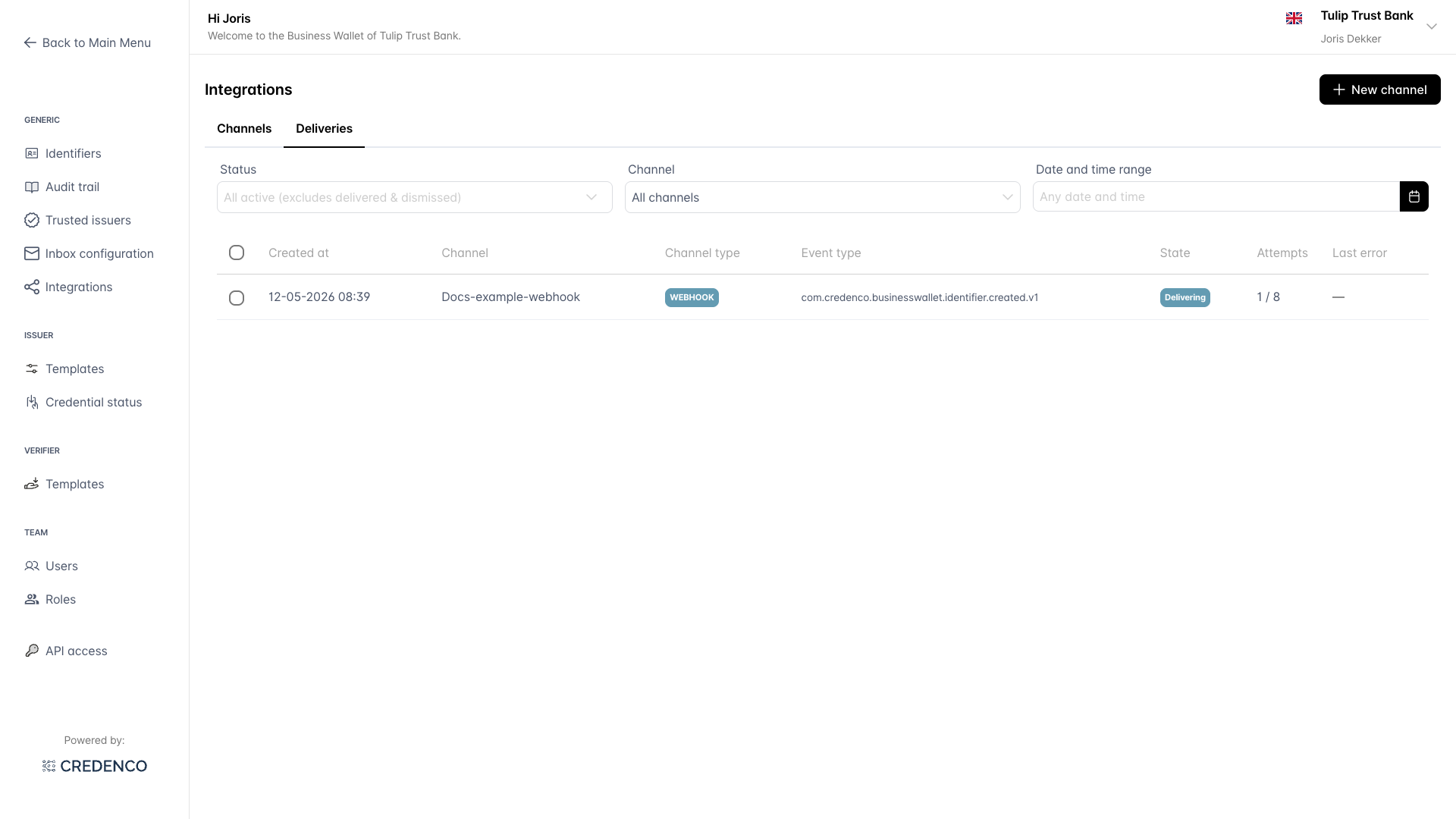
Click on a row to open the delivery details.
Filter deliveries
Three filters are shown above the table:
- Status - Filter by one or more delivery states. The default value is All active (excludes delivered & dismissed), which hides successful and dismissed deliveries to keep the list focused on work that may still need attention.
- Channel - Limit results to one specific channel.
- Date and time range - Limit results to a custom time window.
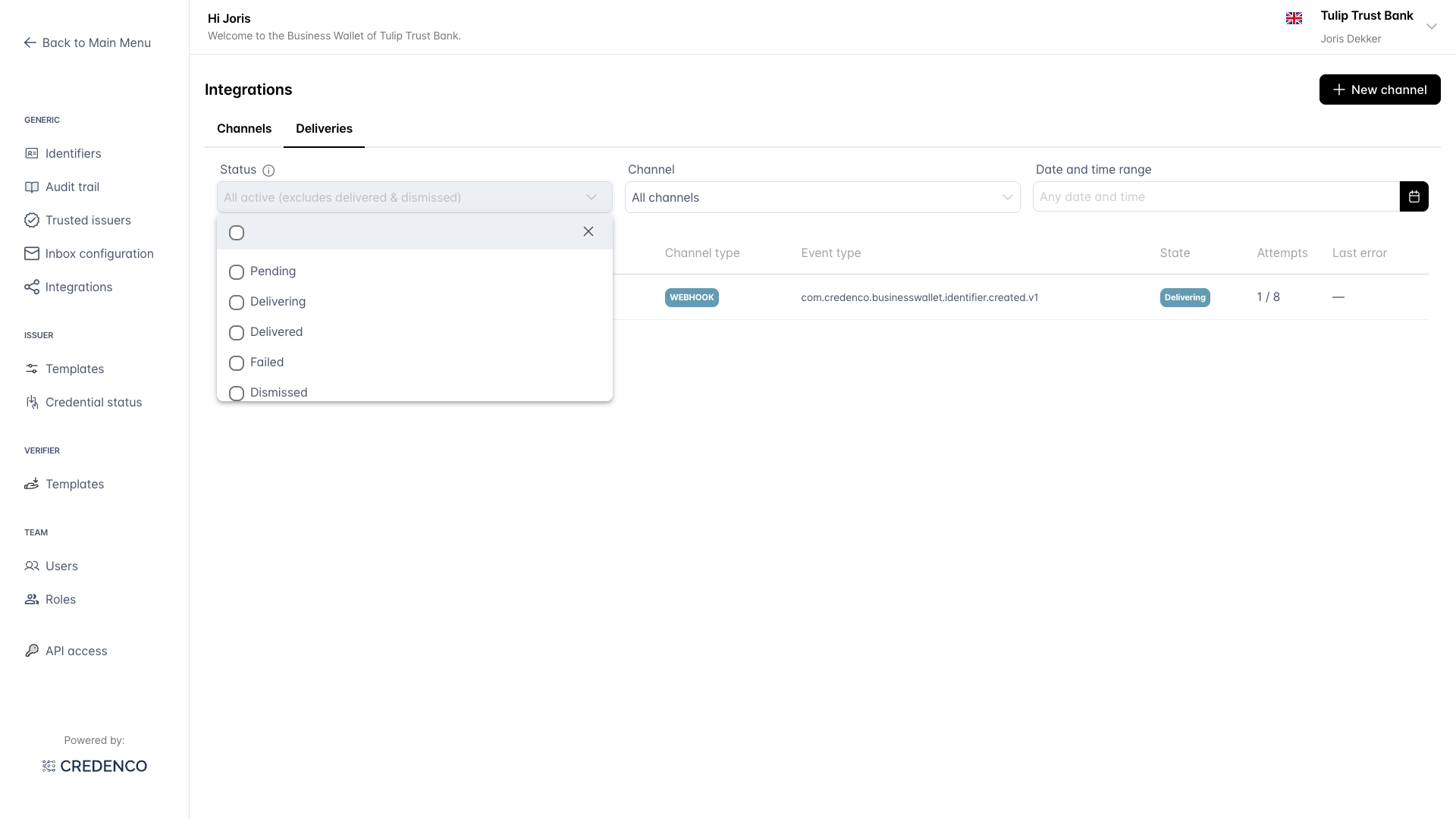
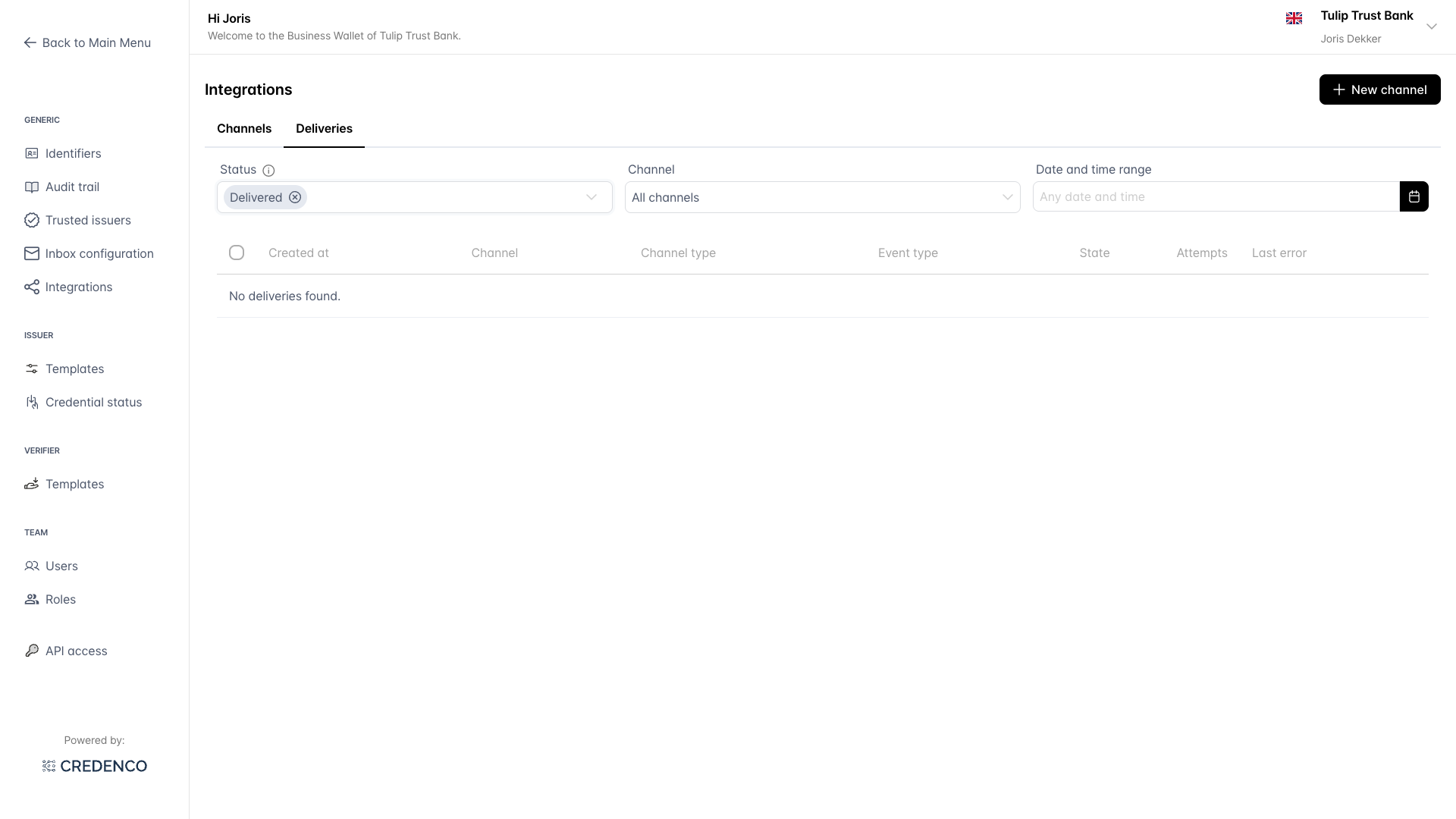
When no deliveries match the current filters, the table shows No deliveries found. Adjust the filters or wait for new events.
Delivery states
| State | Meaning |
|---|---|
| Pending | The delivery is queued but not yet sent. |
| Delivering | An attempt is currently in progress, or further retries are scheduled. |
| Delivered | The receiver responded with a 2xx status. No further action needed. |
| Failed | All retry attempts have been exhausted or the receiver returned a non-retryable error. Action may be needed. |
| Dismissed | A user has explicitly marked the delivery as no longer relevant. |
See Integrations overview - delivery semantics for the retry policy and how the state machine progresses.
Delivery details
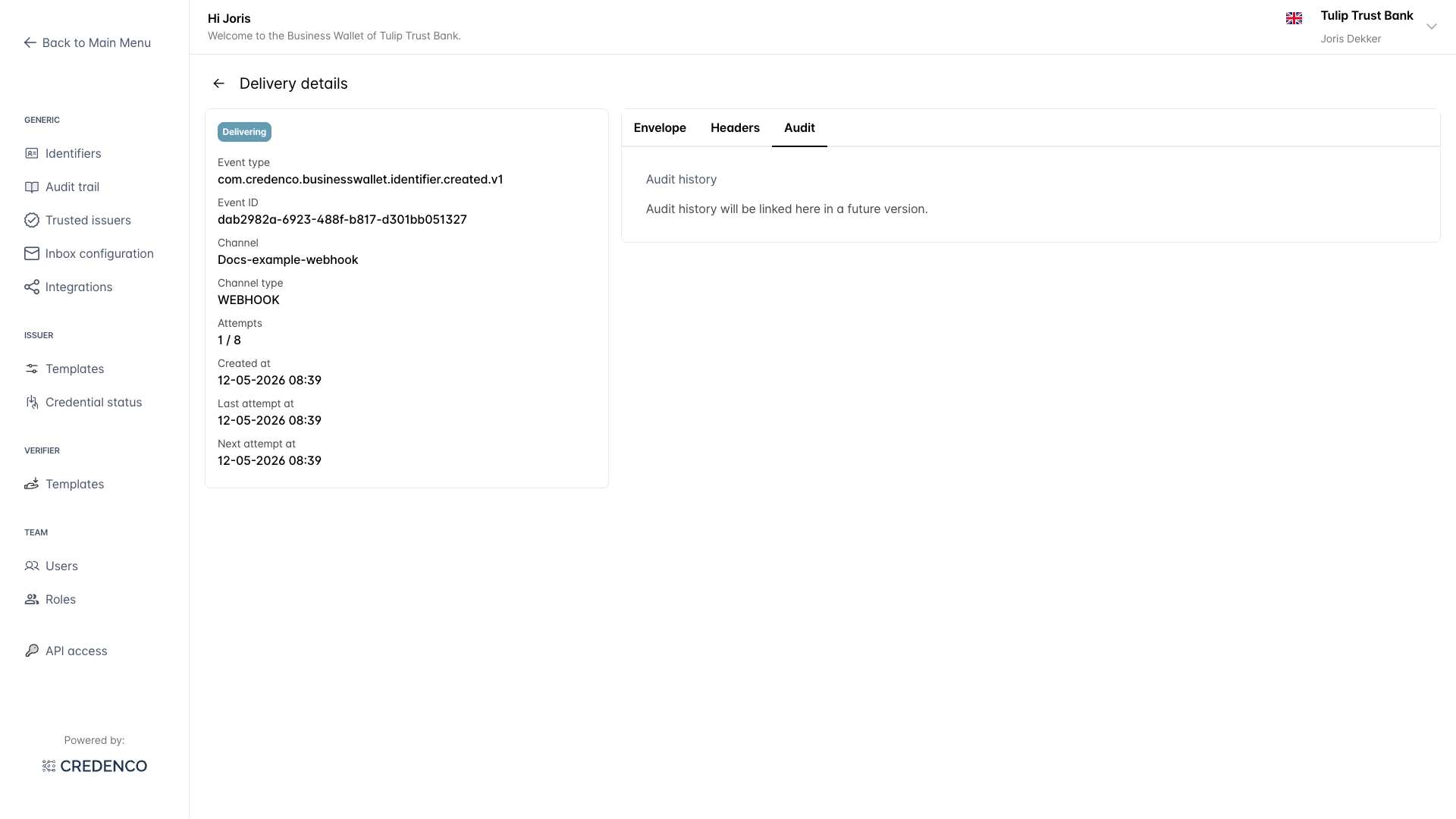
Clicking a row opens the Delivery details screen, which shows the full context of a single delivery. The left card shows the metadata (event type, event ID, channel, attempt count, timestamps). The right side has three tabs.
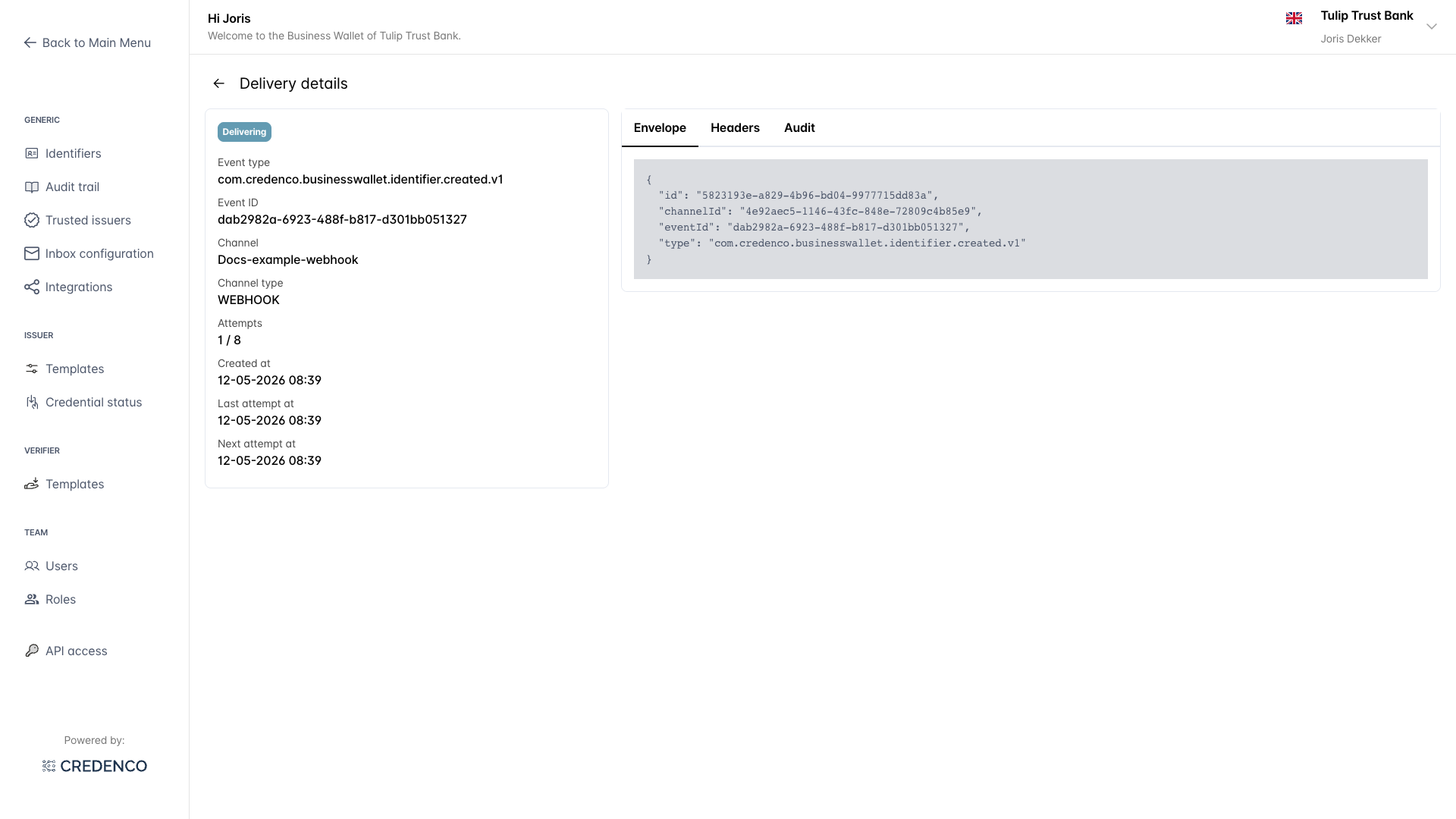
Envelope tab
Shows the CloudEvents envelope and payload that was sent. This is the exact body the receiver would parse.
Headers tab
Lists the HTTP headers that were sent with the request, including the ce-* CloudEvents headers and the X-Credenco-Signature header used for HMAC verification. See webhook authentication for the meaning of each header.
Audit tab
Reserved for future use. In a later release this tab will link the delivery to related entries in the wallet audit trail.
Replay or dismiss a delivery
Failed or stuck deliveries can be replayed (to retry them after fixing your receiver) or dismissed (to mark them as no longer relevant).
- On the deliveries overview, tick the checkbox next to one or more rows.
- A bulk-action bar appears at the bottom of the table showing how many items are selected.
- Click Replay selected (N) to re-queue the deliveries, or Dismiss selected (N) to mark them as dismissed.
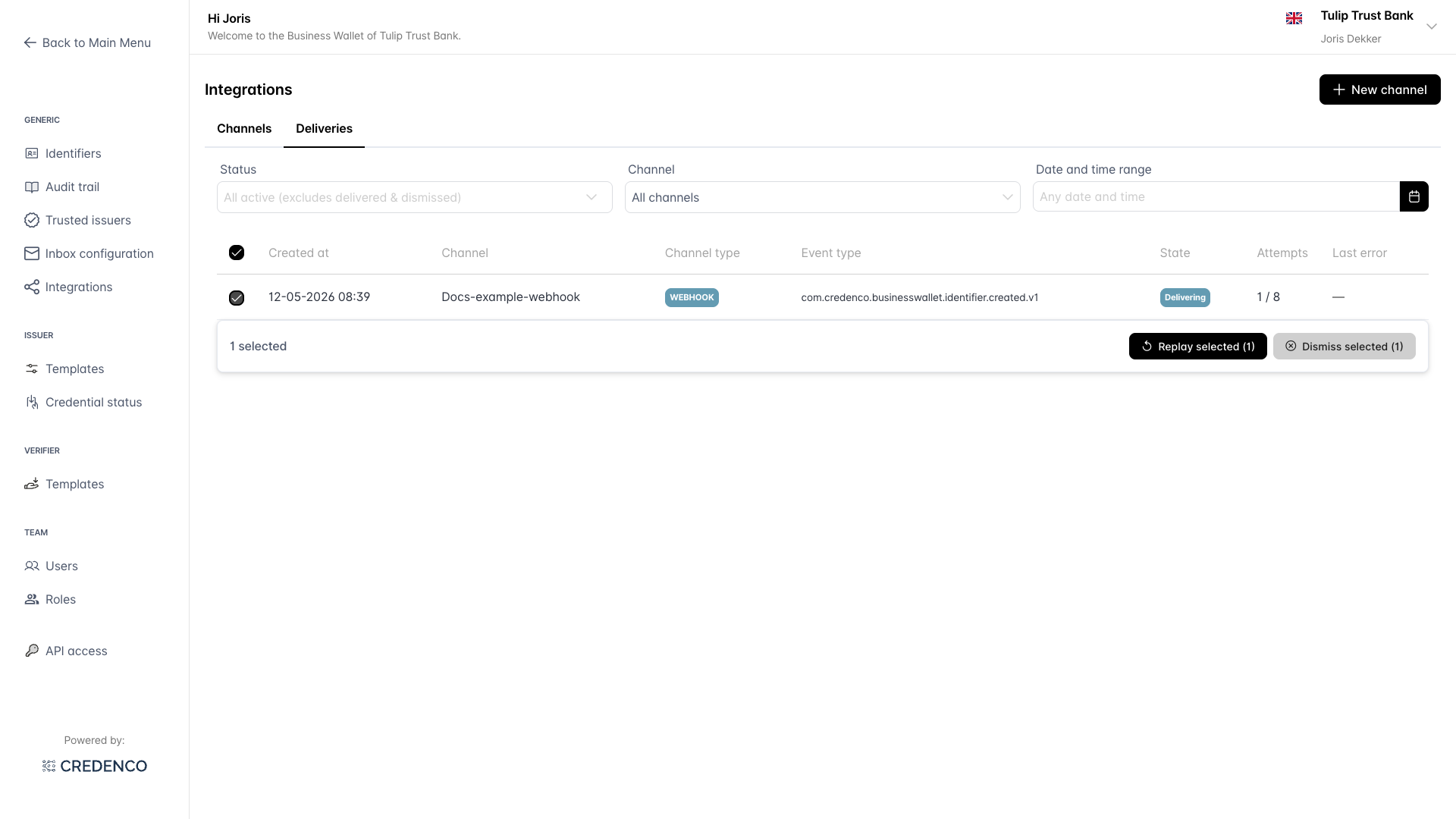
Tick the checkbox in the table header to select every visible delivery at once, then refine with the filters before replaying or dismissing.
Automatic retries with exponential back-off happen behind the scenes for any delivery in the Delivering state - you don't need to do anything to make those happen. Replay is for deliveries that have already moved to Failed (so retries are exhausted) or for Delivered deliveries you want to re-send.
Viewing the deliveries list requires WALLET_INTEGRATION_DELIVERY_READ. Replaying or dismissing deliveries requires WALLET_INTEGRATION_DELIVERY_CRUD. See Integrations overview - permissions for the full table.